Icon generator
One mark in, a complete platform icon set out — correctly named, correctly sized, and with the manifest and catalogue files each platform expects. It runs entirely in your browser and needs no account.
How it works
Compose an icon the same way you compose a screenshot: a backdrop, and your mark on top of it. Pick a target — Favicon, Android or Apple — and the export button produces the whole set as a zip.
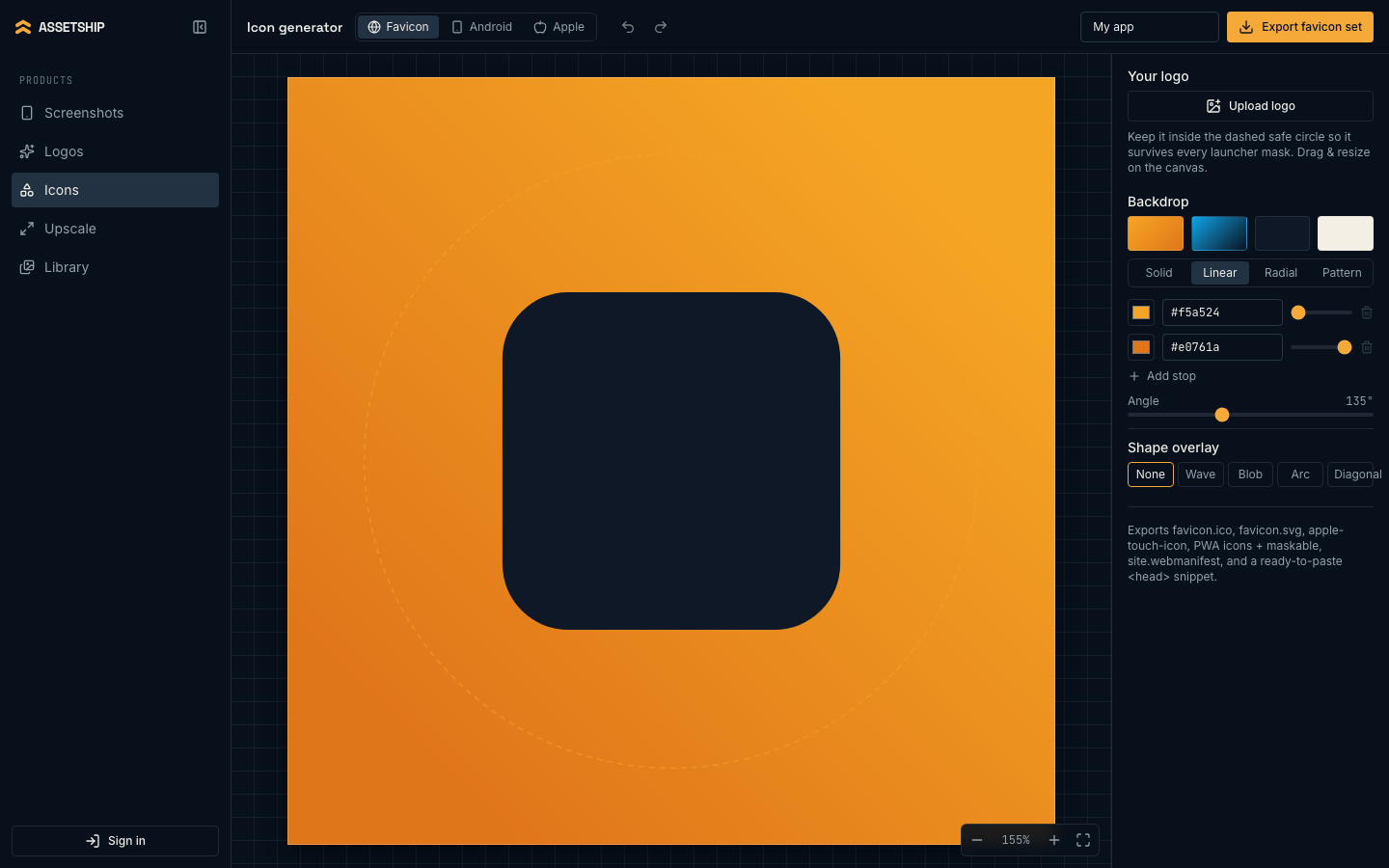
The App name field is not decoration — it goes into the web manifest and the README that ships in the zip, so the files are ready to commit rather than ready to edit.
The safe zone
Every platform crops icons, and each crops differently. The dashed circle on the canvas moves with the target you have selected: Android shows the adaptive-icon mask (a 66dp circle inside 108dp, because launchers apply their own shape), Apple shows the App Store keyline, and web shows the maskable-icon inset. Artwork that crosses that line will be cut off on someone’s home screen.
Getting your mark in
Upload logo accepts a PNG or an SVG, and you can drag and resize it on the canvas. If you built your mark in the logo generator, Use in favicon hands it over directly, preferring the traced vector so it stays sharp at 1024 px.
The backdrop behind it is the full backdrop panel from the screenshot editor — solid, linear, radial or pattern, with the same shape-overlay option. Four presets (Amber, Marine, Ink, Paper) are there to skip straight past the decision.
What each export contains
Favicon set
Export favicon set → favicon.zip:
favicon.ico- Multi-resolution: 16, 32 and 48 px.
favicon.svg- Vector, for browsers that prefer it.
apple-touch-icon.png- 180 px.
icon-192.png- Plus
icon-512.pngand maskable variants at both sizes, for installable web apps. site.webmanifest- Wired to the icons and your app name.
head-snippet.html- The link tags to paste into your document head.
Android
Export Android icons → android-icons.zip, laid out as a drop-in res/ directory. Foreground, background, monochrome, legacy and round icons are rendered for mdpi through xxxhdpi, alongside the mipmap-anydpi-v26 adaptive-icon XML and a colors.xml. The 512 px Play Store icon is included, plus a README and a manifest listing every file.
Apple
Export Apple icons → apple-icons.zip containing an AppIcon.appiconset with the 1024 px marketing icon and its Contents.json, ready to drop into an asset catalogue. It also emits an AppIcon.icon bundle for Icon Composer, splitting your backdrop and mark into the background and glass layers that Liquid Glass expects.
Good to know
- Undo and redo work here exactly as they do in the screenshot editor.
- Nothing in this studio touches a server or costs credits — generating the mark with AI does, but composing and exporting the set does not.
- Icon exports are never watermarked.